
How a screen time reward system works, step by step
Kids do what they need to do, earn minutes, and spend them during the week.
ScreenTickr turns daily responsibilities into earned screen time.
It is simple:
- Kids complete the things they need to do
- They earn screen time minutes for each completed responsibility
- They use those minutes during the week, when it is their time for screens
No guessing. No arguing. Just clear expectations.
1. Set up daily tasks
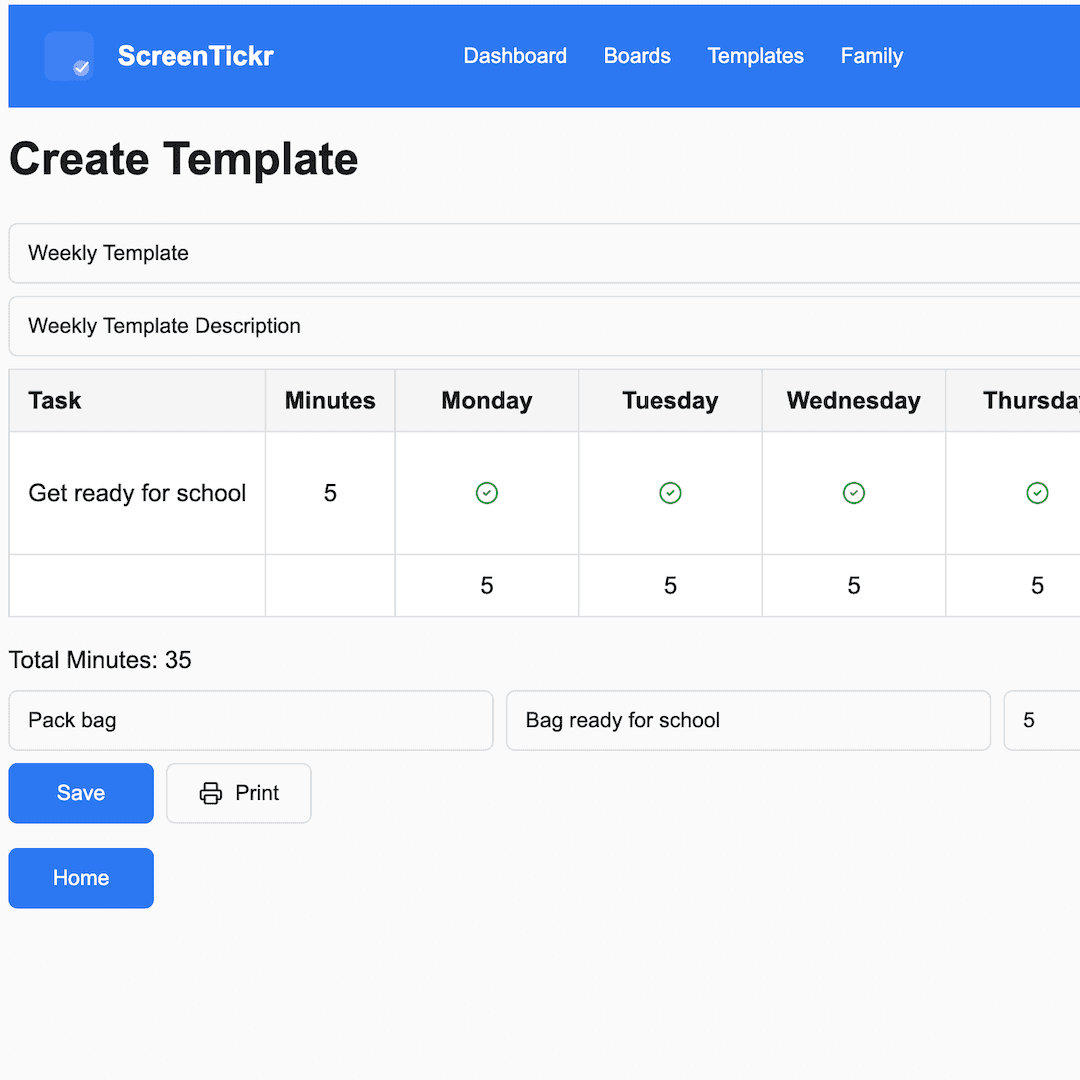
Each child has a weekly list of tasks, like:
- Getting ready for school
- Tidying up after themselves
- Getting ready for bed
- Staying in bed after lights out
Each task is worth a set number of screen time minutes. You decide what matters, and how much it is worth.
Start with three or four tasks: the ones you remind your child about most. Five to ten minutes each is a good starting point. Keep the same tasks for a few weeks before you change anything, so your child can build a consistent routine.
2. Track progress
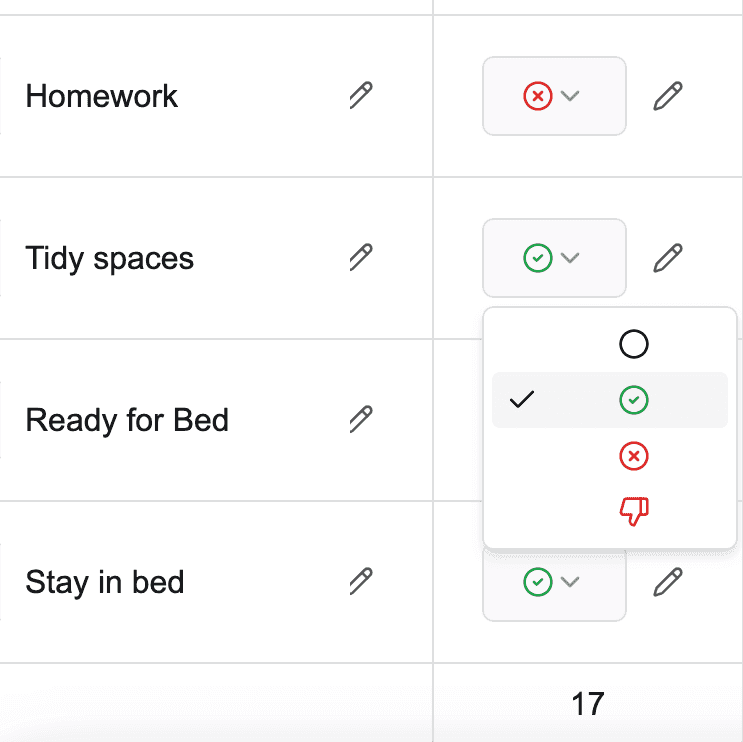
When your child completes a task without being reminded, you mark it as Done and they earn their minutes. If it did not happen, or needed a reminder, mark it Failed and no minutes are earned. It is clear, consistent, and fair.
There is a third option. If a task becomes the source of an argument, mark it Thumbs Down and minutes are deducted. Use Thumbs Down sparingly. It is a teaching tool, not a punishment.
3. Watch minutes add up
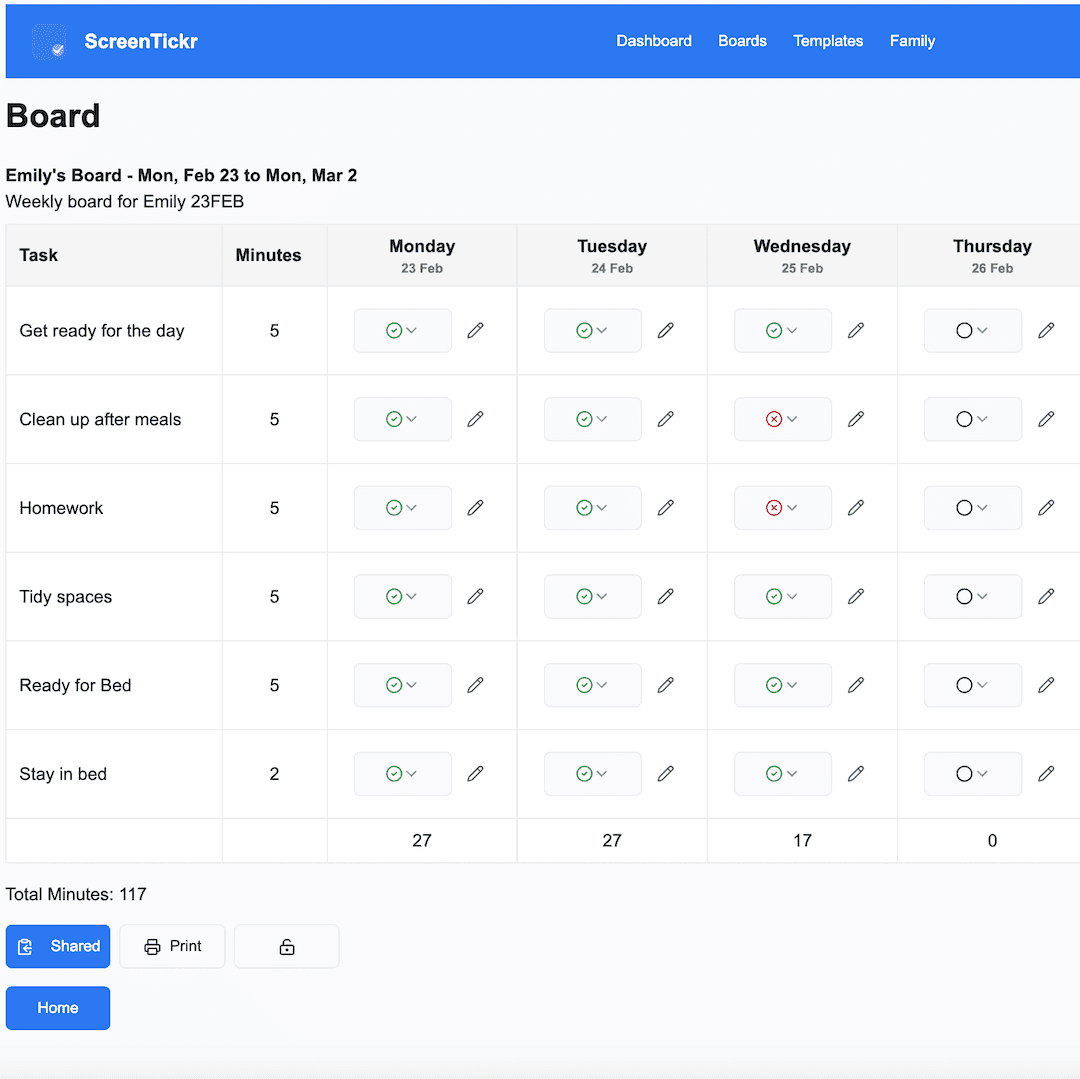
As the week goes on, their total builds. When they want to use screen time, the question becomes "how much have you earned?" rather than a negotiation. If they have earned it, they can use it.
Pair it with your device's limits
ScreenTickr does not block apps or lock devices. It keeps the score. To have the screen stop when the earned minutes run out, keep a low daily limit on the device and hand out earned minutes when your child spends them:
- Apple Screen Time on an iPad or iPhone: your child taps Ask for More Time, and you approve it. Apple's shortest extension is 15 minutes, so for a shorter session your child's own timer does the stopping.
- Google Family Link on Android or a Chromebook: add the minutes as Bonus time for that day.
- The living-room TV: have your child set a kitchen timer for the minutes they are spending.
Try having your child set their own timer for the minutes they are spending. When it goes off, they can stop themselves before the device locks them out. That builds independence, and the device's limit stays as the backup while they learn.
The board counts what has been earned, so keep a tally of what has been spent on the printed board or a note on the fridge.
Start fresh each week
At the end of the week, review what they earned, celebrate the effort, and start a new board.
It becomes a rhythm rather than a battle. ScreenTickr is not about punishment. It is about helping children learn that responsibilities come before rewards.