
Features
Earn screen time through everyday responsibility.
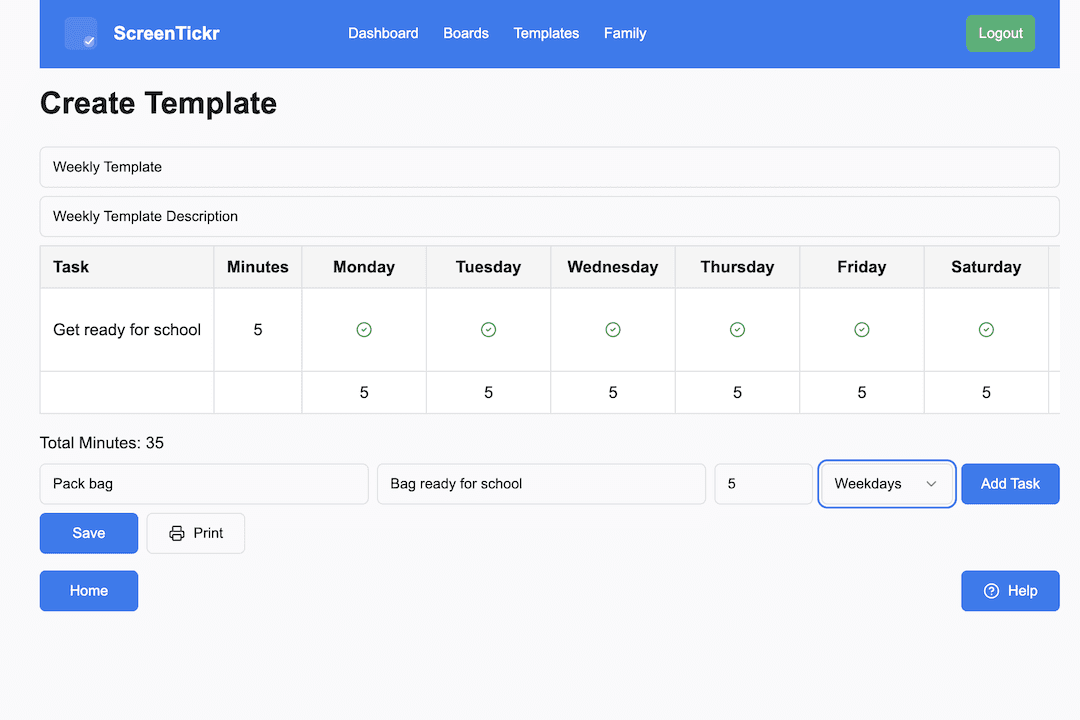
Create a reusable weekly template
Set up a list of tasks tailored to each child, with the minutes each one is worth. Limit a task to certain days if it only applies on weekdays or at weekends.
You build the template once. It is designed to be reused, so you update it when responsibilities change as your child gets older.
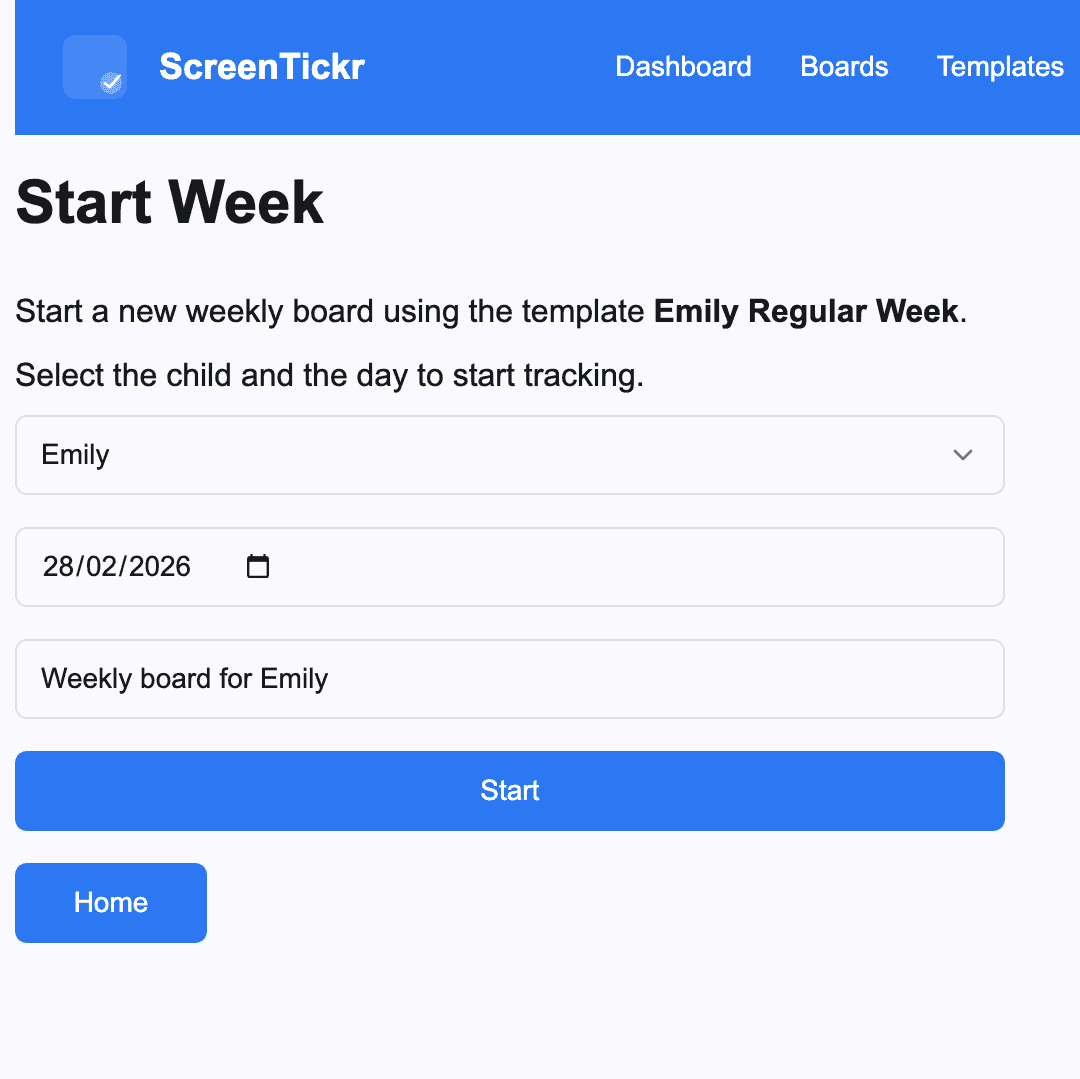
Activate a weekly board
Start a new week with a single click. Choose a start date, and ScreenTickr generates that week's board from your template.
- Everything is visible for the whole week
- Each child gets their own board
- Track progress in real time
Track tasks as the week goes
Mark each task as the week progresses. A task can be Done, which earns its minutes, Failed, which earns none, or Thumbs Down, which deducts minutes.
Failed is the everyday outcome for something that did not happen. Thumbs Down is there for when behaviour warrants a consequence. Use it sparingly: it is a teaching tool rather than a punishment.
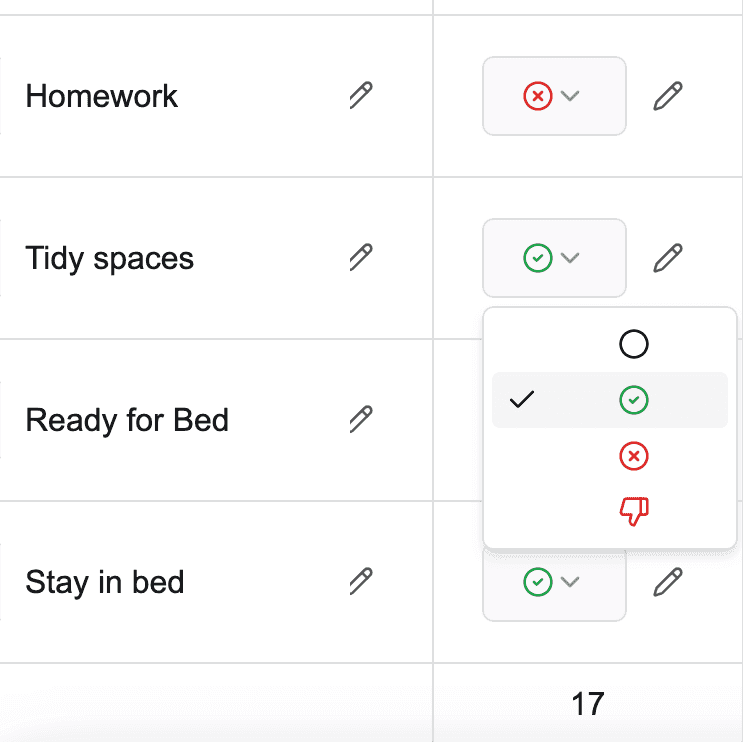
Tracking is deliberately light. You see what has been done, spot patterns quickly, and stay consistent, without micromanaging.
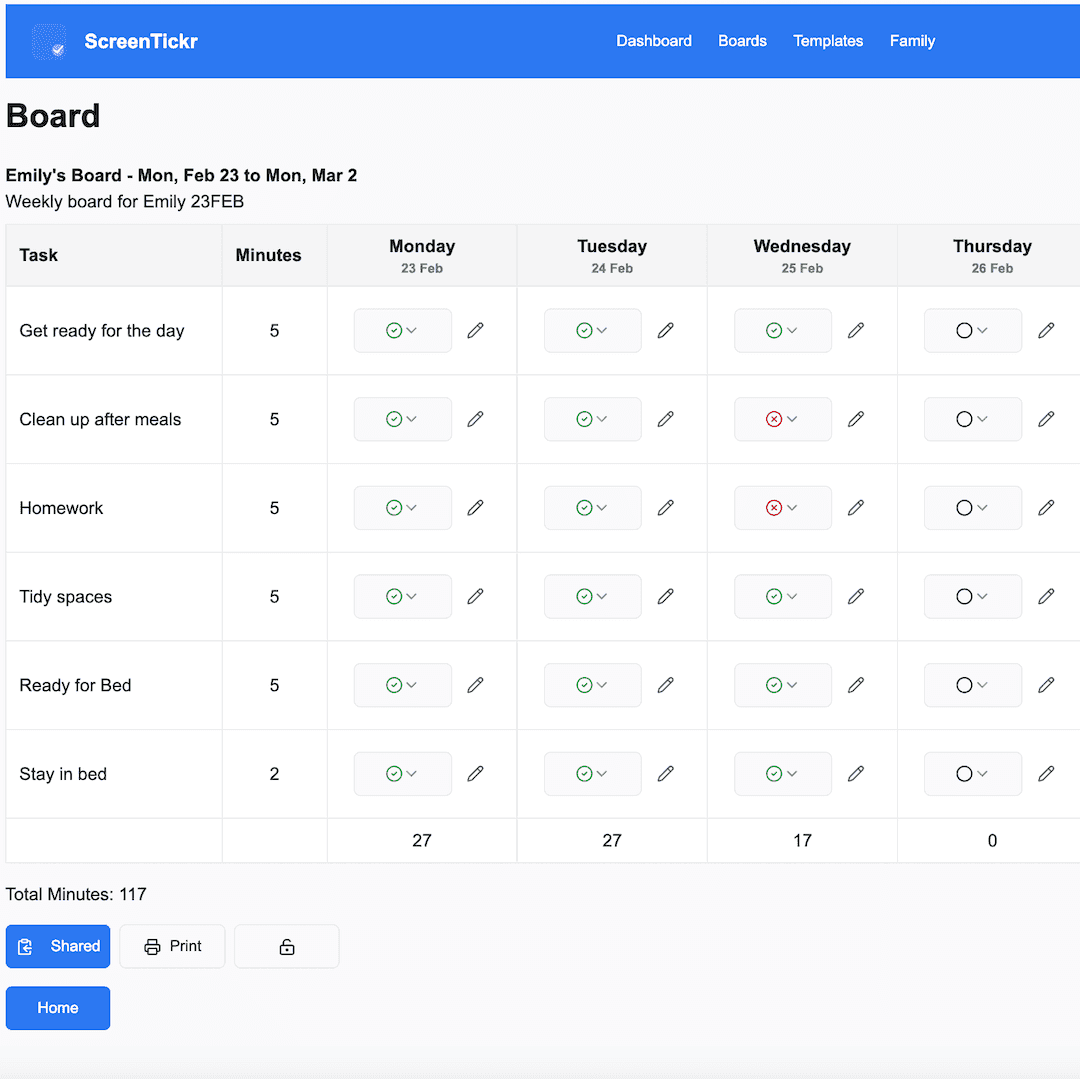
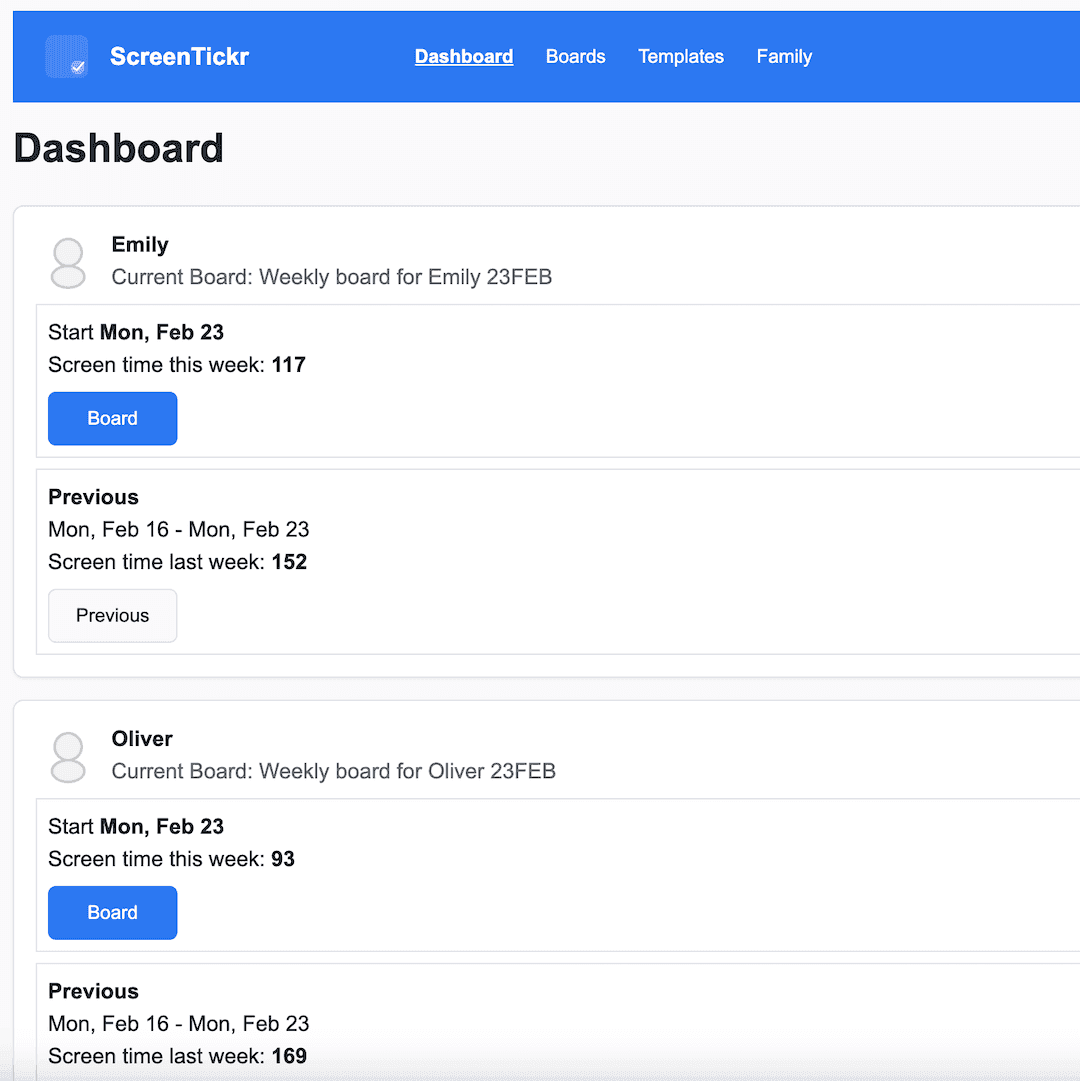
Automatic screen time tally
Earned minutes add up as the week goes on, so the answer to "how much time do I have left?" is on the board rather than up for debate.
Clear numbers reduce friction, and seeing the total climb reinforces the link between effort and reward.
Weekly history and trends
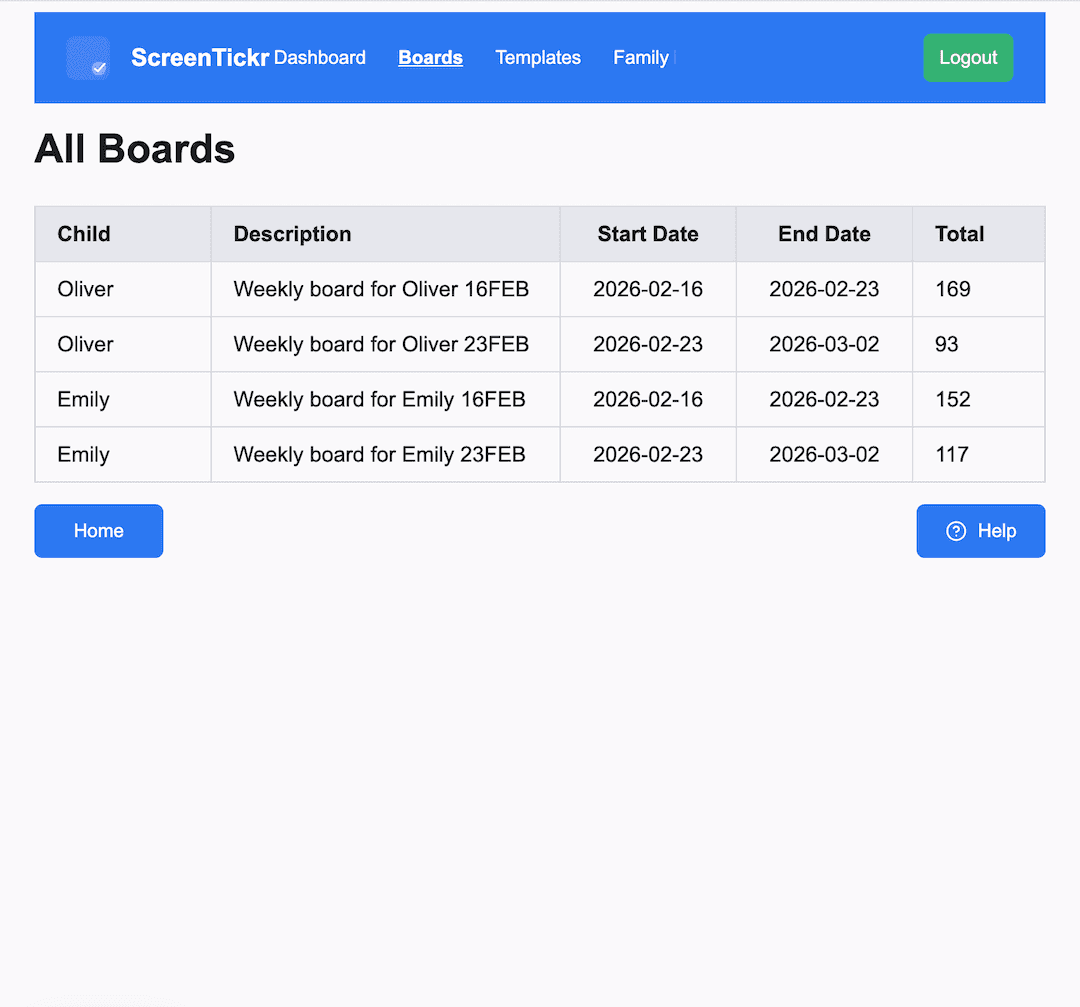
Look back at past weeks to see patterns over time: where consistency is building, where it slipped, and where a child might need support.
Parenting works better when you can see the bigger picture.
A board for each child
Create separate boards per child, with different tasks, different expectations, and different amounts of time on offer.
Age-appropriate structure, without comparison between siblings.
Printable charts
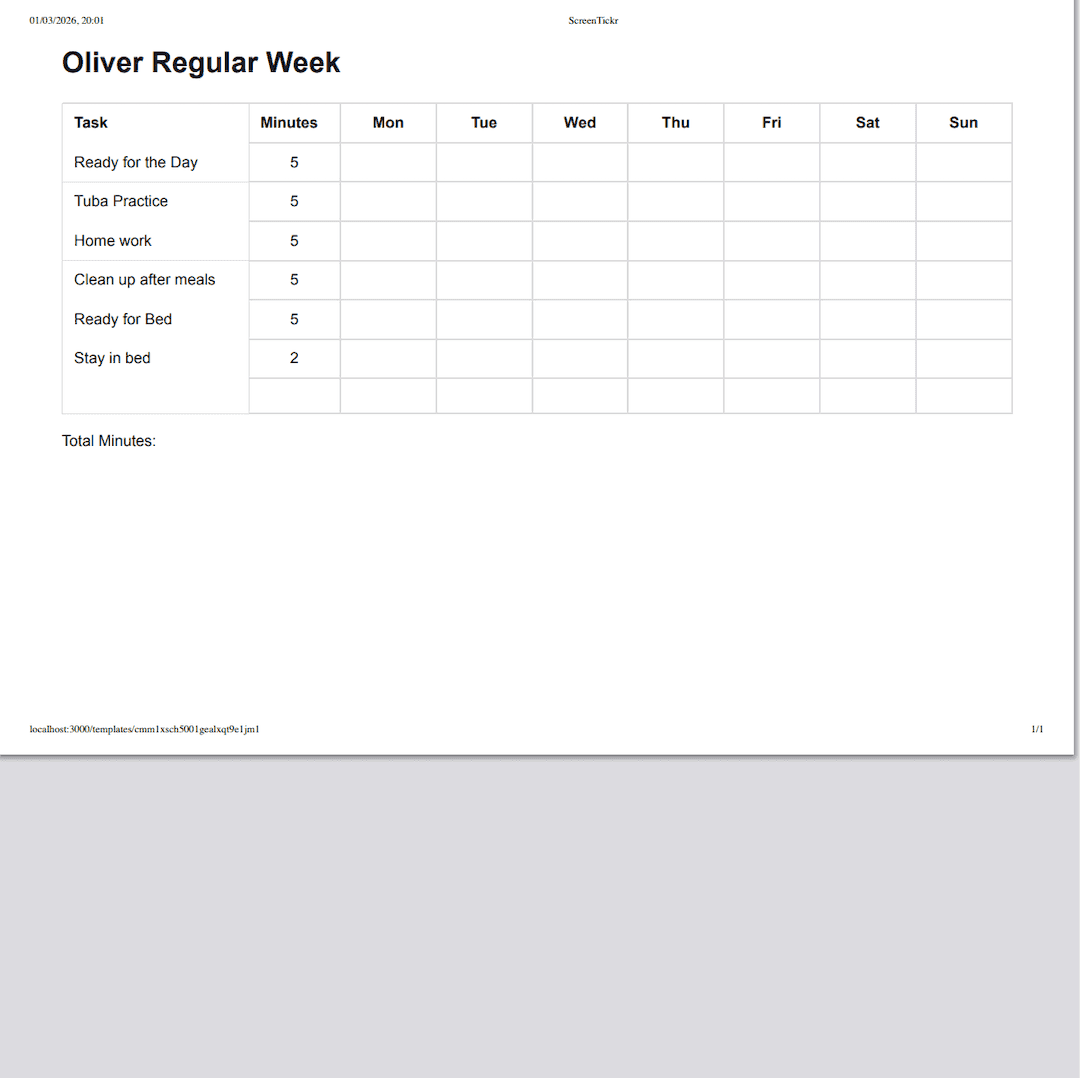
Prefer something physical? Print a clean template to fill in by hand, or print a board mid-week for the fridge. Online and offline work together.
Share a read-only view
Share a board with your child, your partner, or a caregiver. Everyone sees the same information, and nobody gains editing access.
Coming soon, shaped by feedback
ScreenTickr is evolving based on what parents tell us. Planned improvements may include:
- Letting children mark their own tasks as completed
- A shared timer that deducts from earned weekly minutes
- More flexible reward options
These are intentions rather than promises, and we have not committed to dates. We are building this with families, not just for them.